Feature tour
Everything is organised around projects. Each project has its own stack, its own data, and a management surface for the parts of Supabase you use every day.
How this tour is organised
Each area has its own deep page with the workflow, real screens, behaviour and the configuration names that apply. The tour follows the product's own navigation: a dashboard over projects, then the per-project workbench, then the manager-level administration surfaces.
Two areas are described but not given a deep page: edge functions and the Postgres integration panels. The code for both exists, but there is no clean, approved screen in the public screenshot set, and a page without a real screen would be padding. They are listed here so the tour stays honest about what the product contains.
One dashboard over every stack
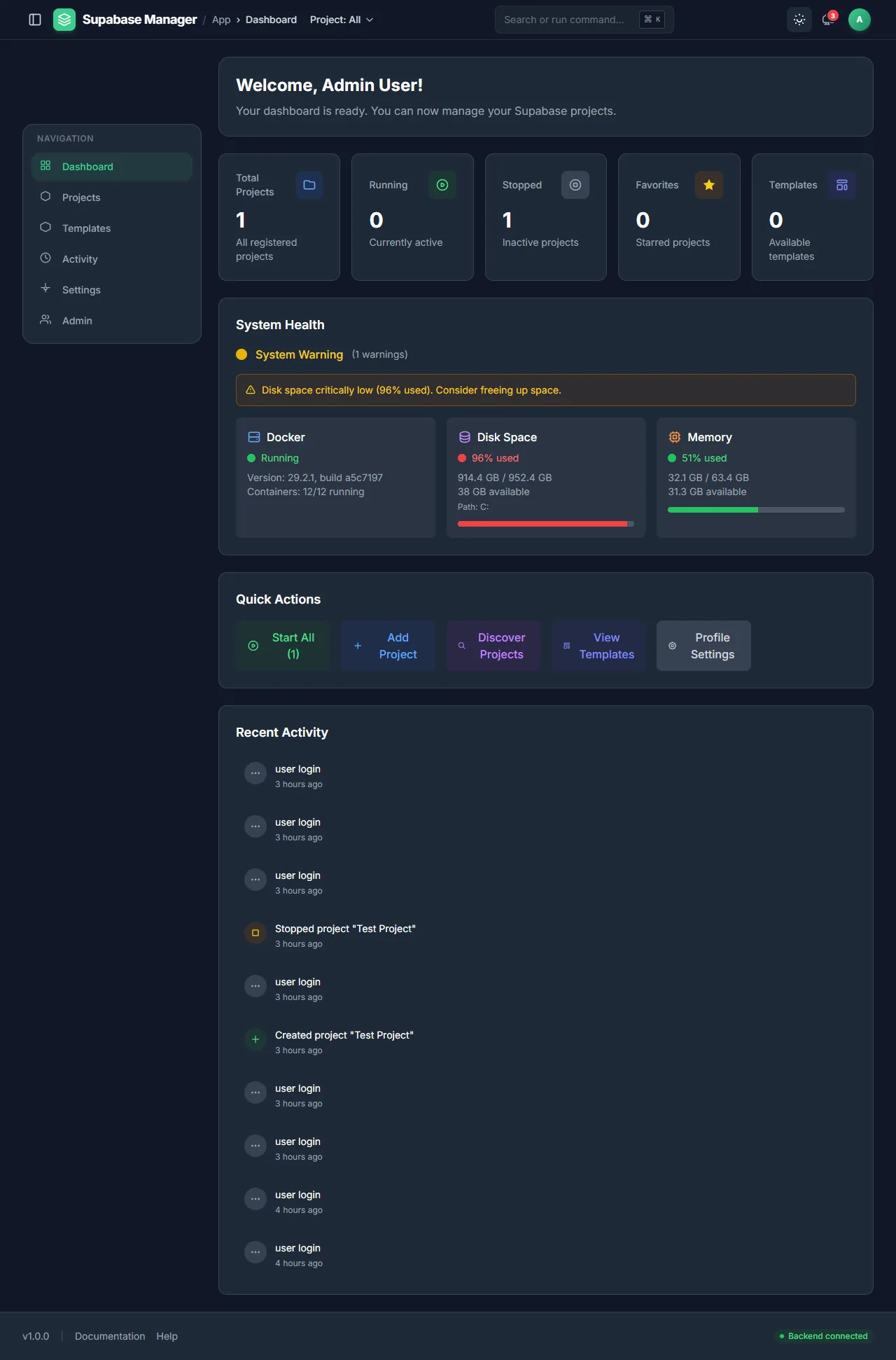
The control room: project counts, system health, quick actions and recent activity.
Feature areas
Dashboard
Counts, health, activity and quick actions across all projects.
Dashboard
Open dashboardProjects
Register, discover, import and run local Supabase stacks.
Projects
Open projectsDatabase
Schema browser, structure view, table editor and relationships.
Database
Open databaseSQL workbench
Queries with role selection, history, exports and explain plans.
SQL editor
Open sql workbenchAuth and RLS
Users, sessions, providers, templates, policies and testing.
Auth
Open auth and rlsStorage
Buckets, object browsing, uploads, previews and policies.
Storage
Open storageMigrations
Create, diff, apply and review migration history.
Database · Migrations
Open migrationsBackups
Named database backups, restore points and restore.
Database · Backups
Open backupsAdvisors
Security and performance findings with guidance.
Advisors
Open advisorsAPI docs
Live OpenAPI, Swagger UI and client snippets.
API docs
Open api docsLogs and observability
Log tails, the log explorer and six traffic views.
Logs · Observability
Open logs and observabilityReal-time
Channel tester, subscriptions and proxy stream views.
Real-time
Open real-timeTemplates
Save a project as a template and recreate it.
Templates
Open templatesAdmin and settings
Manager accounts, system and proxy settings, profile.
Admin · Settings
Open admin and settingsDescribed but not given a deep page
Edge functions. The Functions page lets you pick a function by id or name, edit its code, deploy through the Supabase CLI, invoke it with a method, headers and a JSON body, manage secrets with masked values, and follow the edge-runtime log stream. The behaviour is documented from the source, but no approved screen shows the function studio, so there is no deep page and no image slot.
Integrations. The Integrations page routes to panels for cron jobs, queues, Vault and foreign-data wrappers, plus a GraphiQL panel. Again, the source is real and the panels are documented, but the approved screenshot set has no clean capture of them. They are named in the project settings page rather than given feature pages of their own.
What the tour leaves out
The public site describes the product's user-facing behaviour. It does not publish internal audit material, verification logs, scenario files or agent configuration. Claims on each page are tied to the source files that prove them; if a claim could not be tied to code or user documentation, it was removed rather than softened.