Migrations
Move schema changes deliberately: create, diff, inspect and apply migration files, with history per project.
What it is
Migrations turn schema changes into versioned files. The Migrations tab lists the project's migration files with their applied or pending state, lets you create a new migration, generate a diff from the database, apply pending files, reset the migration state and inspect what a file will change.
The files live in the project's own supabase/migrations directory. The manager drives the Supabase CLI's migration commands; it does not invent a second migration format.
Why you need it
A local database that changes without a record is hard to reproduce. A migration file makes the change reviewable, repeatable and portable to another environment. The manager's contribution is visibility: which files are pending, what each one contains, and what happened when it was applied.
Migration files, diffs and confirmation
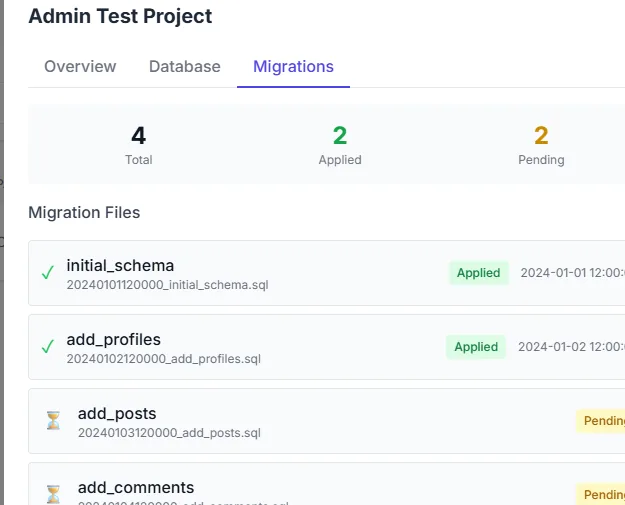
Migration files and their applied or pending state, per project.
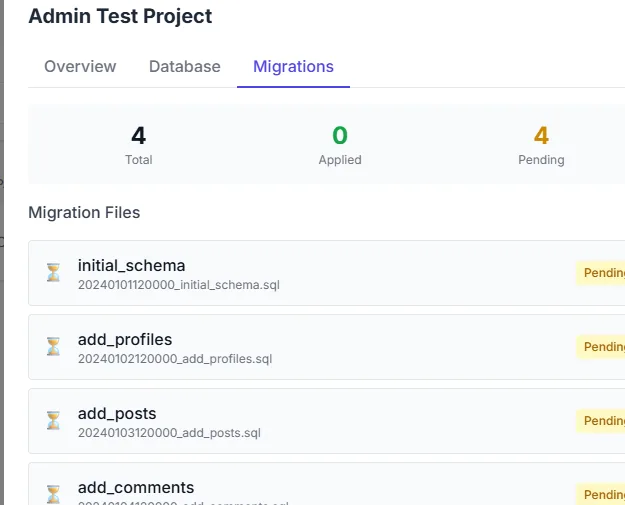
The migrations list when every file is applied, so the pending count is zero.
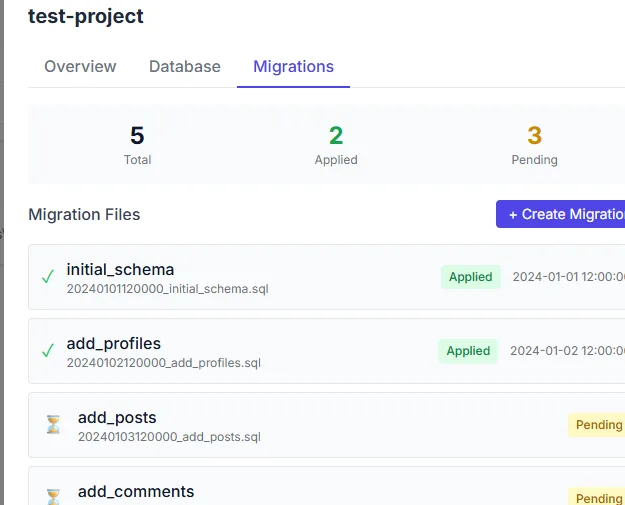
After a new migration file is created, it appears in the pending set.
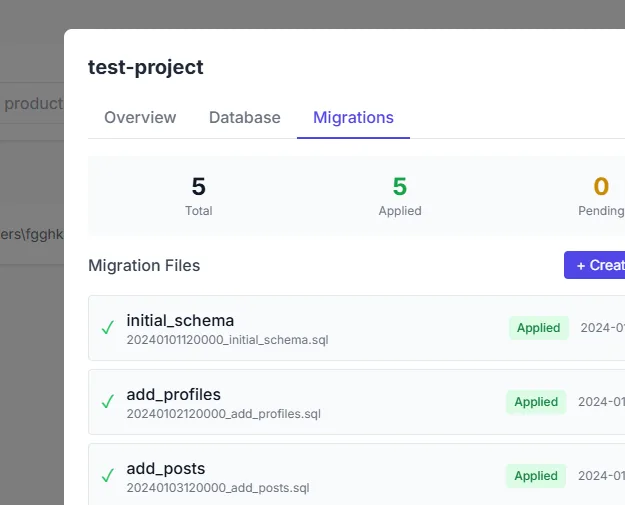
All migration files report an applied status.
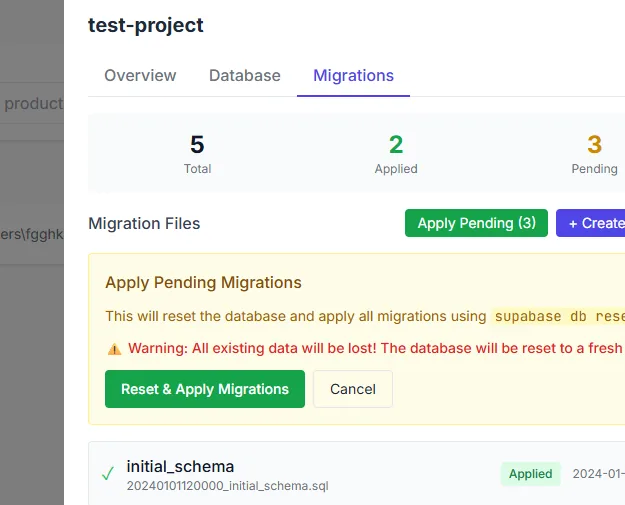
Applying a migration asks for confirmation first.
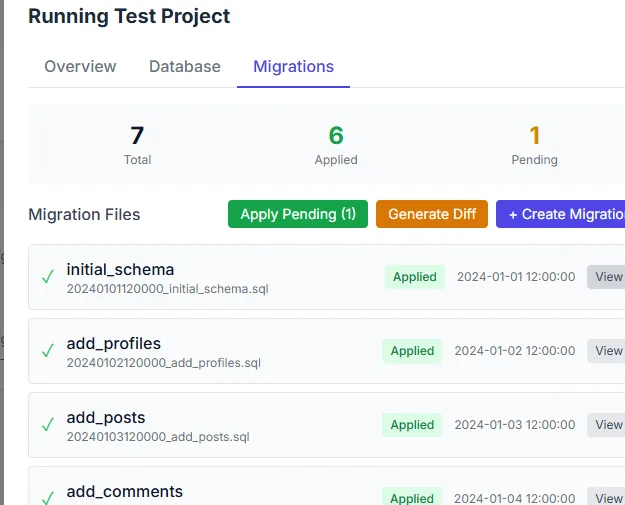
The apply control on the migrations list, before a pending file is applied.
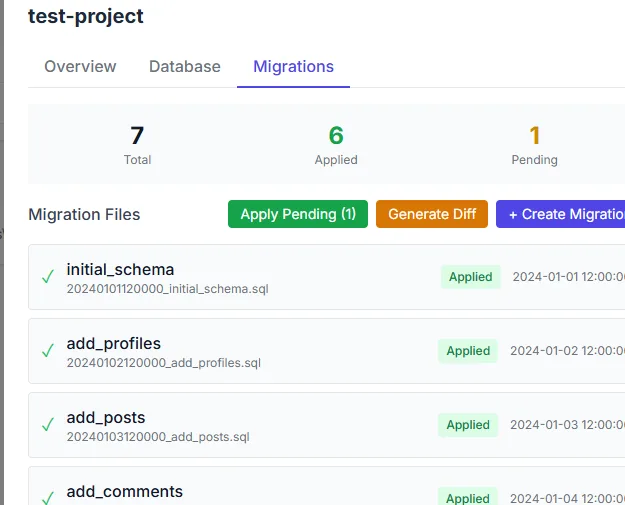
A newly saved migration is listed in the pending set.
What you see
The tab summarises how many files are applied and how many are pending. Each file shows its timestamp and status badge. Pending files can be inspected, and applying them asks for confirmation first. Creating a migration writes a new file and lists it as pending. The diff action compares the live database with the migration state and proposes the SQL that would reconcile them. Reset returns the bookkeeping to a known state without dropping the database.
How to use it
Open Migrations
Choose the project and open Database, then Migrations.
Review pending files
Read the content before applying. A pending migration is a change that has not reached this database yet.
Create a migration
Write the change as a named migration file, or generate a diff from the current database.
Apply deliberately
Confirm the apply dialog. Applied files move to the applied list with a timestamp.
Keep the files
The migration directory is part of the project; commit it with the application so another machine can reproduce the schema.
Behaviour and limits
Applying a migration runs SQL. A destructive statement in a migration is destructive in reality; the confirmation dialog is a pause, not a dry run. The diff is a proposal and should be read before it is applied. Reset changes migration bookkeeping, so use it to recover a stuck state, not as routine maintenance.
Migration history belongs to the project, not the manager. Deleting the manager's record of a project does not delete its migration files.
Configuration
supabase/migrations inside the project folder.npx; it performs the actual apply.Where you see it
Migrations is a tab in the Database surface and also has a dedicated per-project route for legacy deep links. The list shows applied and pending files; the content dialog shows a single file; the apply dialog is the confirmation step.
Working with it
Write the migration before you apply it, not after. A file that describes the change is reviewable; a change applied by hand and described later is a guess. Use the diff when you inherited a database whose state you do not know, and read the proposed SQL as if it were about to run against data you care about, because it is.
Keep migrations small. One change per file is easier to apply, revert and explain than a file that does five things. If an apply fails, read the error and fix the file rather than resetting the bookkeeping and hoping.
Typical tasks
- Review which migration files are applied and which are pending.
- Create a named migration for the next schema change.
- Generate a diff for a database whose state is unknown.
- Apply pending files after reading the confirmation.
- Inspect the content of a file before applying it.
Working with a team
Migration files belong in version control with the application. A teammate who pulls the code should be able to apply the same files and reach the same schema. The manager's applied and pending state is local to one project on one machine; it is not a shared record. When two machines disagree, the files are the common truth and the local state is the thing to reconcile.
Keep the diff action for recovery and review, not as the normal authoring path. A diff describes what is different now; a migration file describes what should happen next. The second is easier to review, repeat and explain.