Auth, users and row-level security
Administer the project's own auth service and the Postgres policies that protect its data.
What it is
The Auth surface administers the project's own authentication service. It has tabs for users, policies, providers, sessions, rate limits, emails, URL configuration, MFA, hooks, attack protection, JWT keys and an audit log. The Policies tab is the row-level security editor; the same policies also appear from the Database side.
This is the project's auth, not the manager's. Manager accounts sign in to the dashboard; auth users sign in to the Supabase project you are managing. The two stores are separate, and the interface keeps the distinction visible in its navigation.
Why you need it
Auth work is repetitive and error-prone: create a test user, ban one, send a magic link, check which provider is enabled, confirm a redirect URL, and make sure the policies actually protect the rows. The Auth surface puts those tasks beside the data they affect, so a policy can be written, tested and explained in one place.
Auth users, policies and the policy tester
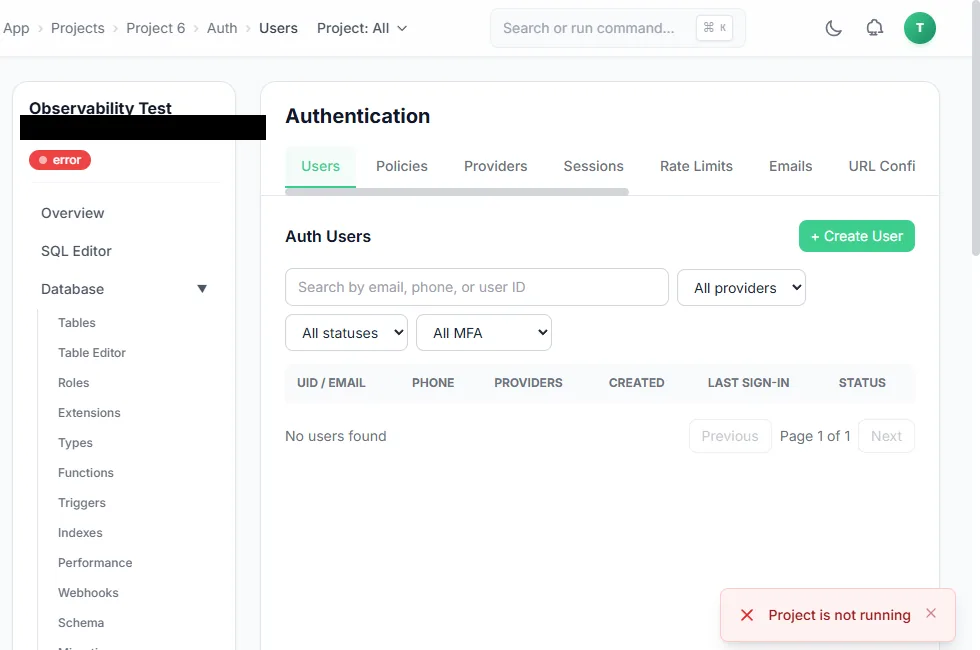
The Auth users tab while the project is stopped; the manager reports that the project is not running.
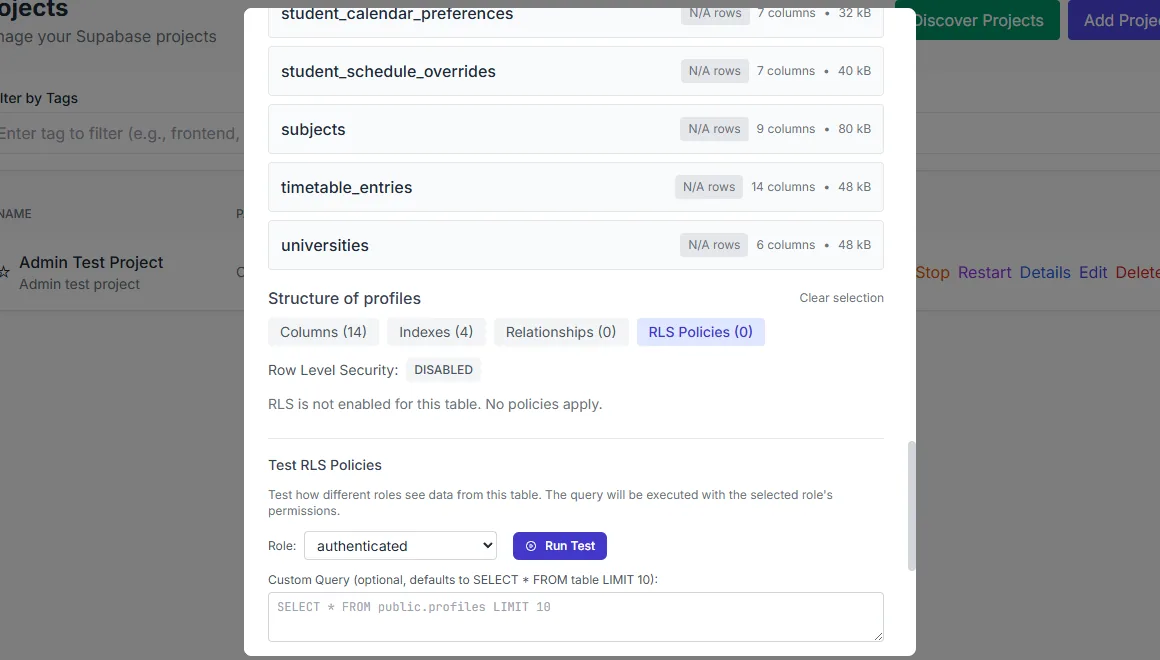
A row-level security test: choose a role, run a probe query and read the result.
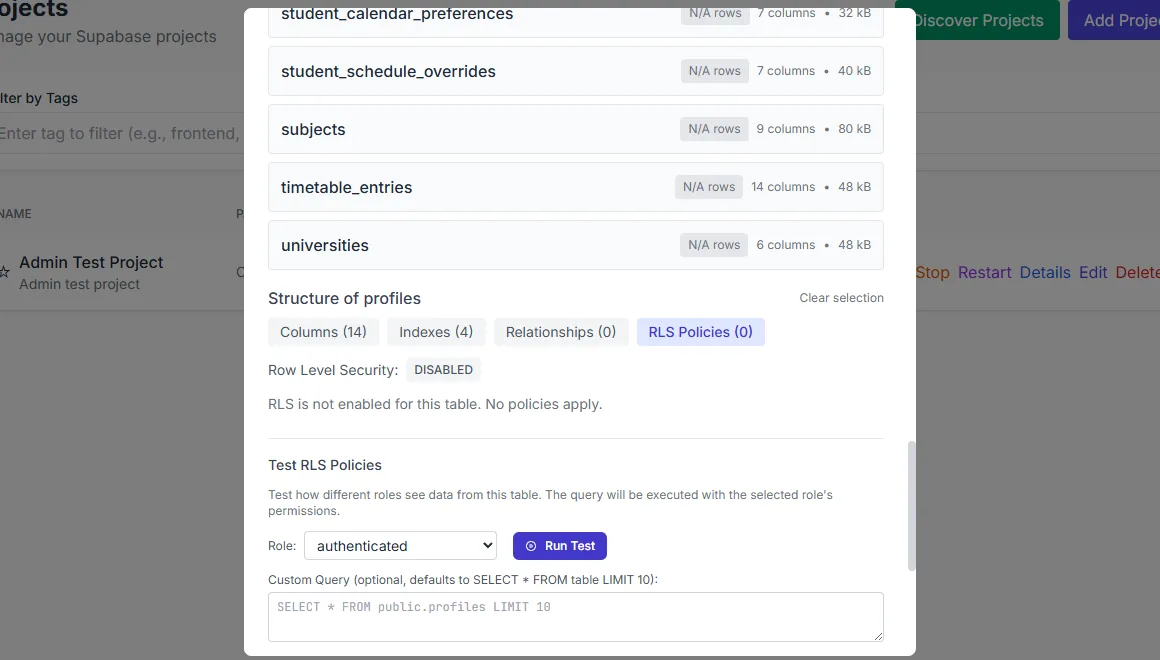
Row-level security can be inspected and tested against a chosen role.
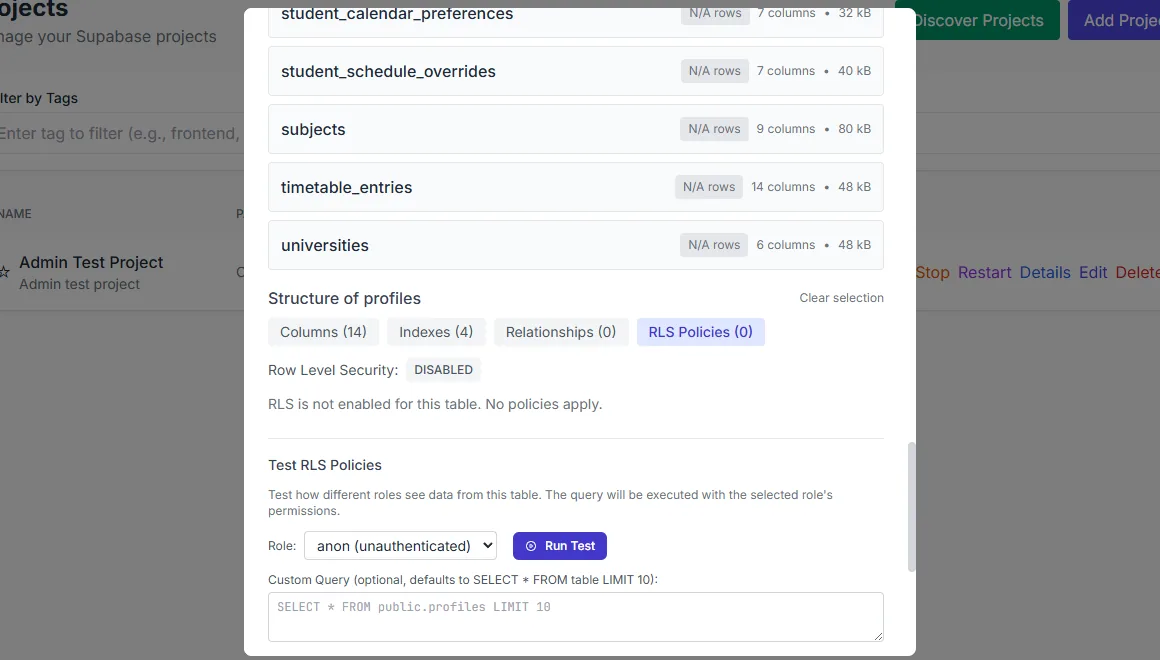
Policy tests can be run as the anonymous role as well.
What you see
Users are paginated and searchable, with a detail drawer for a selected account. The actions cover creation, ban and unban, magic link, invite, recovery link and deletion with typed confirmation. The Providers tab lists the OAuth providers with their enabled state. Sessions and rate limits are visible per endpoint. Emails includes SMTP settings and templates. URL configuration holds the site URL and redirect allow-list.
The policies view lists policies for a table and exposes quick templates for the common shapes: select-own, insert-own, update-own, delete-own, all-own, public-read and service-role bypass. The custom editor takes USING and WITH CHECK expressions. The test sandbox runs a probe query as a chosen role, so you can see what an anonymous or authenticated user would actually receive.
How to use it
Open Auth on a running project
Auth users and sessions come from the live GoTrue service; a stopped project shows an empty state with a status message.
Create or find a user
Use the search box, or create a user with the account form. The detail drawer shows the account's identifiers and metadata.
Review providers and URLs
Enable only the providers you use and make the redirect allow-list match the application's real origins.
Write a policy
Start from a template and replace the expressions, or write USING and WITH CHECK directly.
Test as a role
Run the probe query as anon or authenticated. Treat the result as evidence for that query, not as a complete audit.
Behaviour and limits
The Auth tabs reflect the project's actual service state. If the project is not running, user and session data cannot be read, and the interface says so rather than showing an invented list. Provider and email changes take effect in the project's auth service; they are not simulated in the browser.
Row-level security is enforced by Postgres. A policy that looks correct can still be bypassed by a role with higher privileges, and a permissive policy can expose more than intended. The test sandbox checks a specific role and query, so use several roles and several queries when the data is sensitive.
Configuration
Where you see it
Auth is a per-project route with tabbed sub-surfaces. Users and Policies are the two you will use most; Providers, Sessions, Rate Limits, Emails, URL Configuration, MFA, Hooks, Attack Protection, JWT Keys and Audit Log cover the rest. The same policy editor is reachable from the Database side.
Working with it
Create a test user before you write a policy that depends on one. Then write the policy from a template and replace the expressions with the columns your schema actually uses. Test it as the role the application will use, not only as postgres. A policy that passes as postgres proves very little.
Keep providers and redirect URLs as narrow as the application allows. Email templates and SMTP settings belong to the project's own auth service; changing them affects every user of that project, not the manager.
Typical tasks
- Create a test user and confirm it appears in the user list.
- Send a magic link or recovery link to that user.
- Write a select-own policy and test it as anon and authenticated.
- Review the enabled providers and the redirect allow-list.
- Ban a user and confirm the state changes in the list.