API documentation
Documentation that follows the database instead of drifting away from it.
What it is
API docs are generated from the project's live schema. The manager fetches an OpenAPI document from the project, renders it with Swagger UI, and adds a code tab with client snippets and a generated client environment. Because the document comes from the database, a table or column added a minute ago appears in the reference the next time it is loaded.
The page also reports the realtime publication state for tables, so a subscribe snippet can flag a table whose changes will not be delivered. That is the difference between documentation that looks plausible and documentation that reflects the running stack.
Why you need it
Client code drifts from the schema. A generated reference removes one source of drift, and a snippet that matches the project's real URL and keys removes another. When you are wiring a local application to a local stack, the shortest correct path is usually to copy the generated environment and the endpoint you need.
The generated API reference and settings
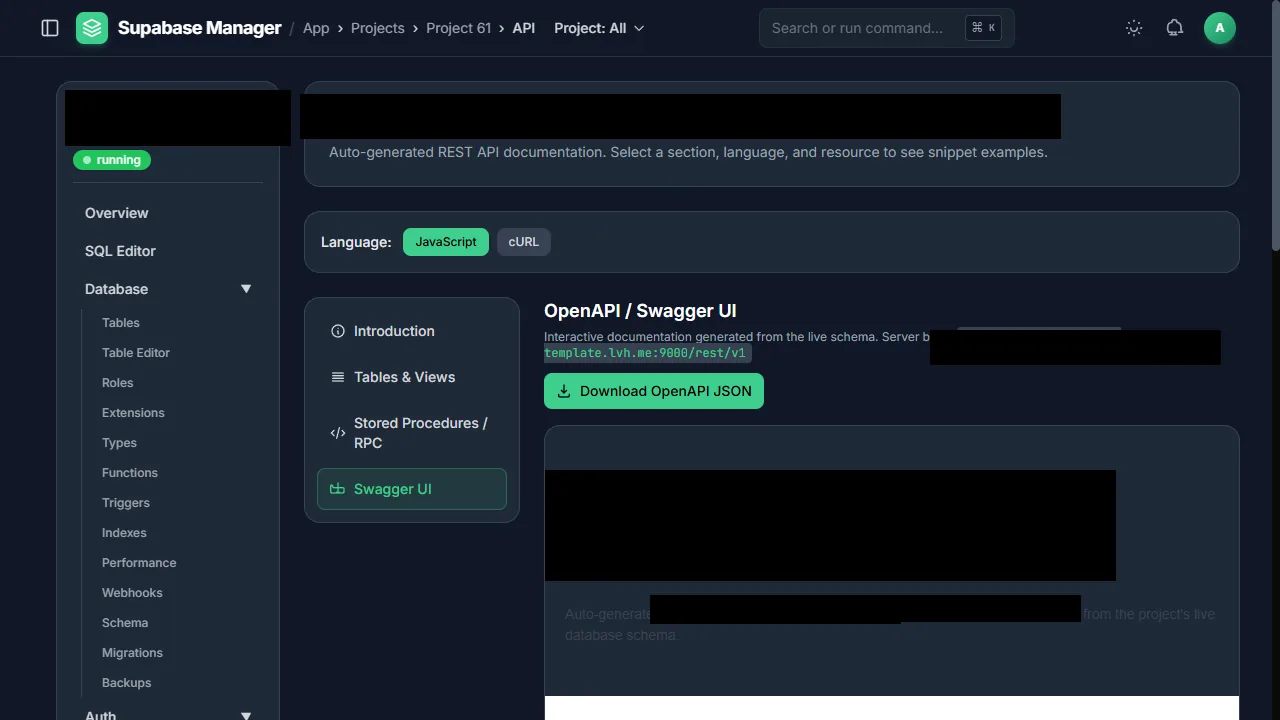
API documentation is generated from the project's live schema.
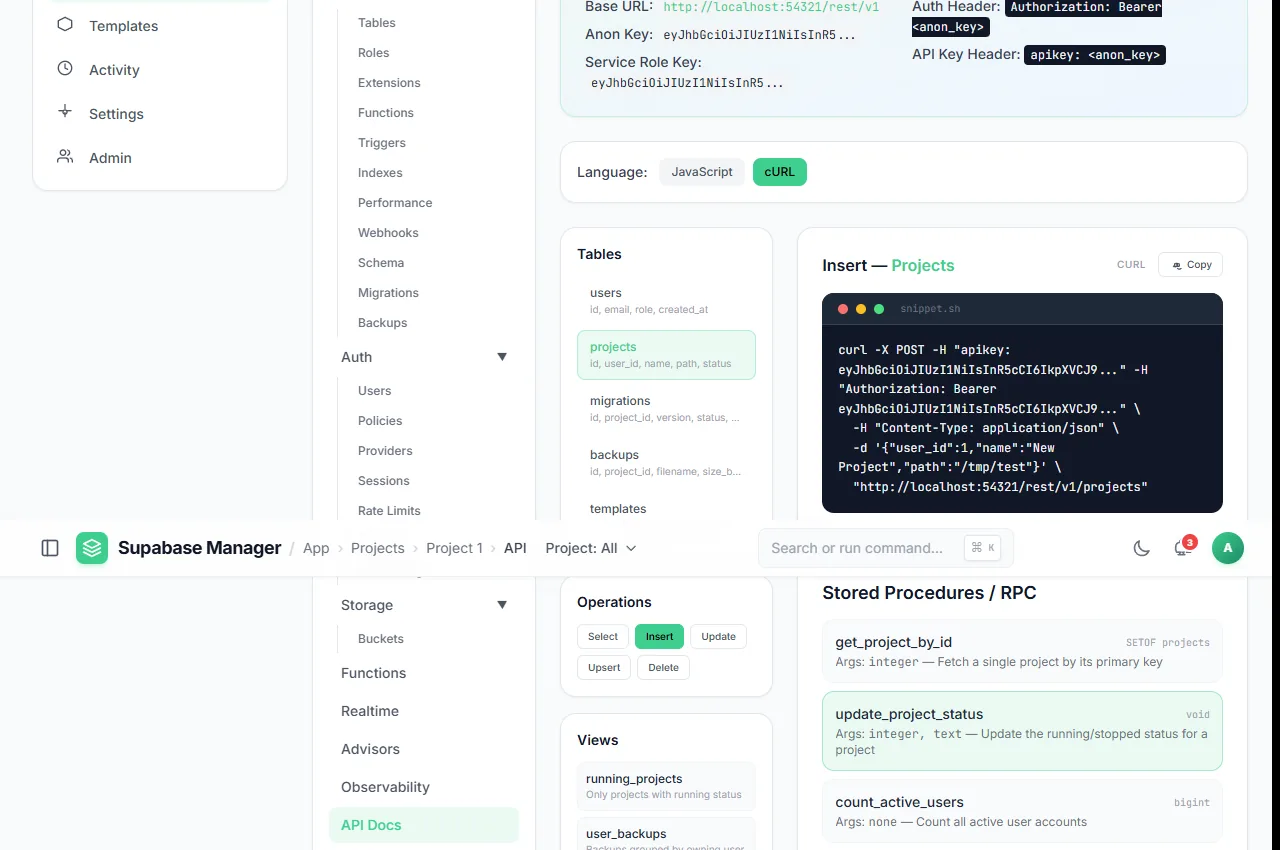
Endpoints are listed from the live OpenAPI document.
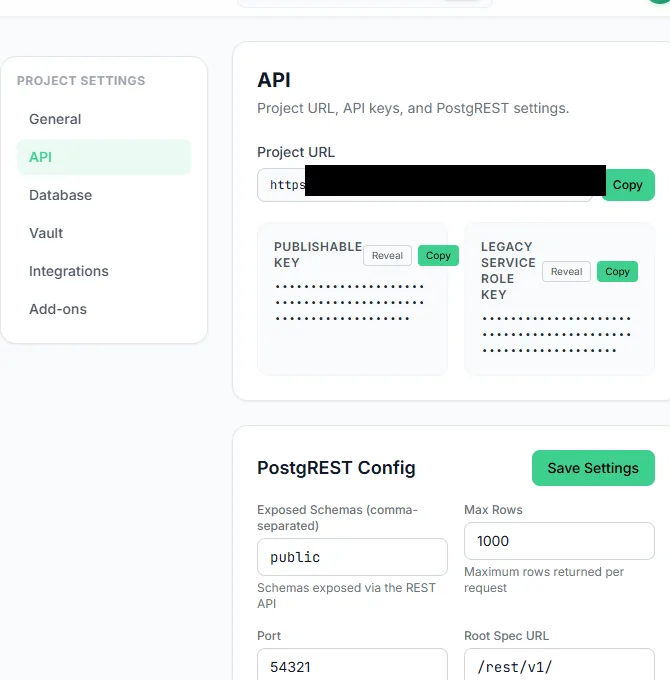
API keys stay masked until an administrator chooses to reveal them.
What you see
The API page presents the generated OpenAPI document, the Swagger UI browser and a code tab. The settings panel shows the project URL and the anon and service-role keys, masked until you choose to reveal them. The endpoint list comes from the live document, so it reflects the schemas and functions that exist. The download action returns the OpenAPI JSON.
How to use it
Open API docs
Choose the project and open API. The document is generated from the live schema.
Find an endpoint
Browse Swagger UI or the endpoint list. Use the filter to narrow a large schema.
Copy a client snippet
Switch to the code tab and choose JavaScript or curl.
Use the generated environment
Copy the project URL and the anon key from the settings panel without revealing the service-role key in a client.
Download the document
Save the OpenAPI JSON when you need it in another tool.
Behaviour and limits
The reference describes the project's API surface; it does not grant access. A request still needs a valid key and still passes row-level security. The service-role key bypasses RLS and must never ship in a browser application. The generated document is only as current as the last load; reload after a schema change.
Realtime snippets depend on the table being in the publication. The page reports that state, but the publication is still the project's own configuration.
Configuration
Where you see it
API docs is a per-project route with a generated reference, a Swagger UI browser, a code tab and a settings panel. The project overview links to the same URL and key information in a shorter form.
Working with it
Use the reference to confirm the endpoint shape, then use the code tab to copy a client snippet that matches the project's real origin. The generated client environment is the quickest way to point a local application at the right stack. Keep the anon key in the client and the service-role key on the server.
When the reference looks stale, reload it: the document is generated from the live schema, so a reload after a migration is usually enough. Download the JSON when you need it in another tool, and treat the downloaded copy as a snapshot rather than a live contract.
Typical tasks
- Find the REST endpoint for a table in the generated reference.
- Copy a JavaScript or curl snippet for that endpoint.
- Copy the project URL and anon key into a local client.
- Download the OpenAPI document for another tool.
Realtime and access
The reference describes REST endpoints; realtime subscriptions are separate. The page reports whether a table is in the publication, so a subscribe snippet that will never receive changes is visible rather than silently broken. Access is still governed by the key the client presents and by row-level security, so an endpoint being listed does not mean every row is readable.
When you share the reference with another developer, share the URL and the anon key, not the service-role key. The service-role key is a server credential, and the generated settings panel masks it for the same reason.
In one sentence
The generated reference is a snapshot of the live schema, so reload it after a migration and treat a downloaded copy as a record of one moment rather than a live contract.