Stack lifecycle
Create, start, stop, restart and remove: the states a stack moves through and the checks behind each one.
What it is
A project moves through a small set of states: registered but stopped, starting, running, stopping, and error. Creating a project writes its record and reserves its ports. Starting it runs preflight, rewrites the project's Supabase configuration, invokes the CLI, and records the running services. Stopping it invokes the CLI and releases the running containers while keeping the project and its data. Restarting is a stop followed by a start. Deleting removes the project record and its allocation after confirmation.
The state is stored in the manager database and refreshed from the live Docker state. The interface does not infer a healthy stack from a record; it asks the project what is running.
Why you need it
Multi-step operations fail in the middle. A start that pulls images for two minutes, a stop that leaves a container behind, a restart issued twice by an impatient click: each produces a different state, and the manager has to be honest about which one it is in. Explicit lifecycle states and action-aware polling prevent the interface from flip-flopping while an operation is still settling.
Project state machine
Diagram: a project moves from registered to starting to running, from running to stopping to stopped, and to error when a start or stop fails; restart passes through stopping and starting, and delete removes the record and releases the allocation.
What a start does
A managed start is deliberately ordered. The manager validates the project path, checks that Docker is running, captures a snapshot of host ports, and confirms that none of the project's eleven ports are held by another project or an unrelated process. It then reserves the block if the project has none, writes the allocated ports into supabase/config.toml, and invokes the Supabase CLI. When the CLI reports the stack up, the manager records the service URLs and keys and probes service health.
The first start of a project is slower because Docker has to pull the Supabase images. Later starts reuse them. The interface polls status during an action and accepts only a terminal state consistent with the action: a stop waits for stopped or error, a start waits for running or error.
Lifecycle components
Diagram: the lifecycle coordinator sits between the API, the port allocator, the CLI process and the manager database; status and health are read back from Docker and the project's services.
Stop, restart and delete
Stopping invokes the CLI for the project and waits for the containers to stop. The project's data stays in its Docker volumes, and its port allocation stays reserved. Restarting combines a stop and a start under one action, so a client sees one transition rather than two independent ones. Deleting removes the project record and releases its allocation; the project's files on disk are a separate decision, and the manager does not silently delete a directory you registered.
Failure and recovery
A failed start leaves the project in error rather than a false running state. The likely causes are Docker not running, a port held elsewhere, a missing configuration, or a CLI that could not pull an image. The error is surfaced with the failing step. The orphan reconciliation releases allocations for projects that no longer exist or that are stopped without containers, so a crashed session does not leak blocks forever.
At boot, the manager can auto-start projects that were running before a restart. That behaviour is bounded by the same preflight checks as a manual start, so a port conflict at boot fails visibly instead of corrupting another project.
The safest habit is to let the interface finish the action before you open a project surface. A start that is still pulling images has not finished, and a stop that is still tearing down can briefly report a service that is neither up nor down.
Configuration
SUPABASE_WRAPPER_PROJECTS_ROOT when set.Where you see lifecycle state
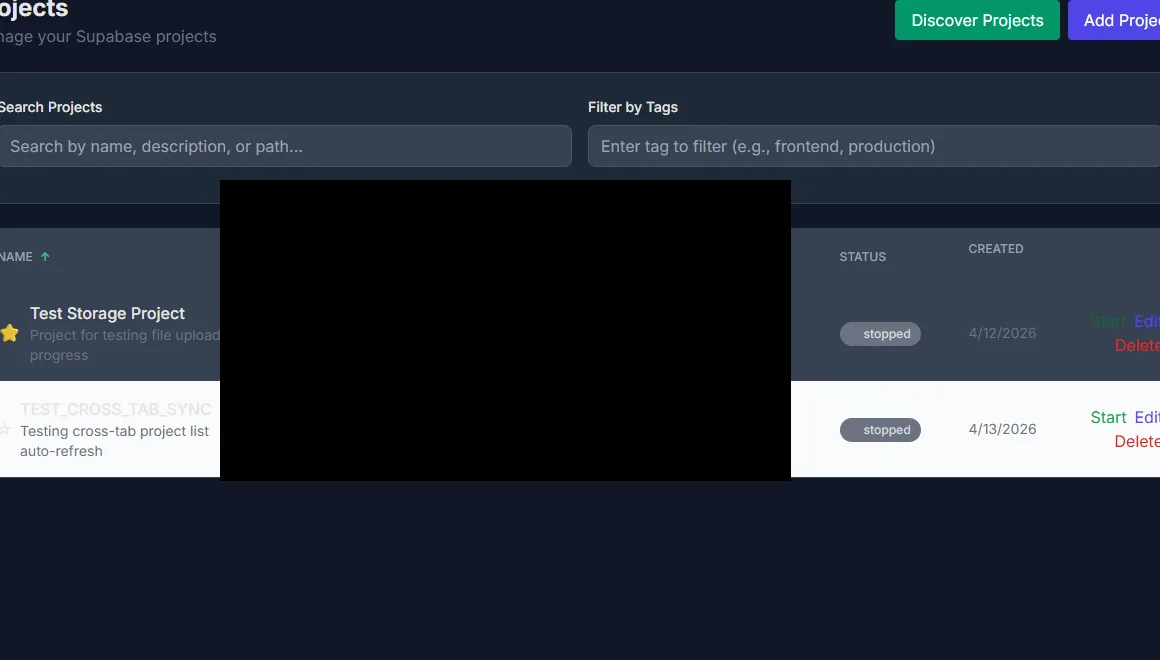
Project rows with status, path and the actions available in each state. Paths are redacted.